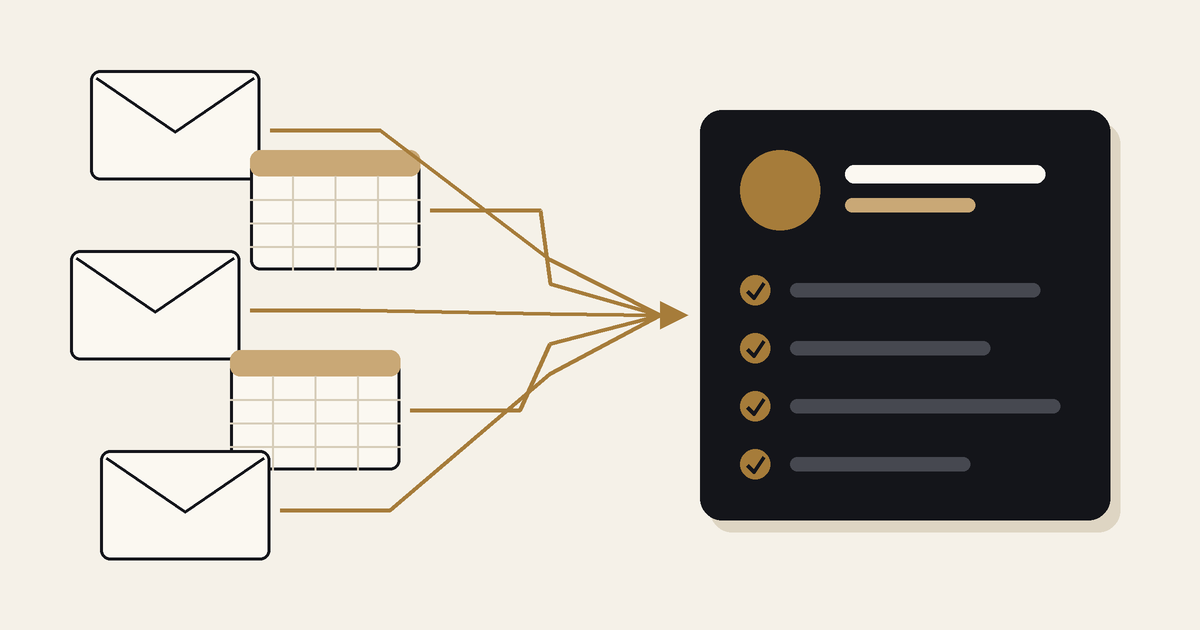
In healthcare and life sciences organizations, a CRM often goes live while a large share of daily work stays outside it. Requests arrive by email. Follow-ups run through phone calls. Event leads arrive as spreadsheets in different formats. Reports are assembled by hand from exports.
Each workaround keeps the work moving, but none of it is recorded in the system the organization relies on. The CRM then reports on a partial picture, and the teams that use it stop trusting it.
This post sets out how that work moves into the CRM, with examples from three Moblize.it engagements: Connecticut Children's Foundation, a pediatric healthcare foundation on Salesforce NPSP; GammaTile, a medical device company running iCapture, HubSpot and Salesforce; and Allucent, a global provider of drug development solutions running HubSpot and Salesforce.
What manual work outside the CRM looks like
The symptoms are specific and easy to recognize:
- Requests and follow-ups handled through emails, calls and Excel sheets, with no record of status or owner.
- Event leads uploaded by hand after each conference, from spreadsheets and exports in different formats.
- Missing data, or data entered into the wrong fields, because it is retyped from another source.
- Duplicate records, followed by a long deduplication process.
- The same contact kept separately by marketing and by sales.
- Reports rebuilt from exports to answer questions the CRM should answer.
Each item on this list has a different fix. Treating them as one problem is where many clean-up projects lose time.
Connecticut Children's Foundation: case management for work that lived in email
The foundation had migrated from a legacy system to Salesforce with a large IT consulting firm. The migration left a broken system with a poor user experience. The foundation could not keep track of donor data, the Contact and Account 360 views did not work, and Salesforce Marketing Cloud was disconnected from NPSP. The bulk of the team's manual processes ran through emails, calls and Excel sheets.
- Discovery: a detailed analysis of Salesforce NPSP, Salesforce Marketing Cloud, Classy and iWave to uncover the major pain points.
- Technical Architecture: a functional and technical plan with short-term, mid-term and long-term goals, designed so existing day-to-day workflows were not affected.
- Case Management: implemented in Salesforce to remove the bulk of the manual processes involving emails, calls and Excel sheets.
- User Experience: the major page layouts and permission sets redesigned so users could work in the system easily.
- Unified Sales and Marketing: Sales Cloud and Marketing Cloud connected to avoid duplicate contact management and improve donor segmentation.
- KPIs and Dashboards: new reports and dashboards for the data research and sales teams.
Project Outcome: the one-year project gave the foundation's Sales, Research and Marketing teams a unified experience. This improved donor outreach and resulted in 50% additional fundraising.
"Moblize.it quickly began work, while taking the time to fully understand the challenges we had." Lauren M, VP Operations, Connecticut Children's
Read the Connecticut Children's case study
GammaTile: automated lead capture for work that lived in spreadsheets
GammaTile's event lead flow depended on manual uploads after each event, multiple formats for the same data, and days spent troubleshooting sync issues across iCapture, HubSpot and Salesforce. Here the right fix was not case management. It was an automated, mapped data flow: event leads captured in iCapture land in HubSpot automatically and sync bi-directionally with Salesforce, with data quality and duplication controls built in and the full lifecycle validated before the event.
Project Outcome: manual lead uploads and spreadsheet-driven processes were eliminated, and duplicate conference lead records fell 43%.
Read the GammaTile case study
Matching each type of manual work to the right fix
Across these engagements, each kind of manual work maps to a different mechanism in the CRM:
- Requests that need an owner, a status and a resolution: case management, as at Connecticut Children's.
- Data that arrives from another system or an event: an automated integration with field mapping, instead of an upload, as at GammaTile.
- The same contact kept in two systems: a bi-directional sync, so one record serves both teams. Connecticut Children's connected Sales Cloud and Marketing Cloud. Allucent connected HubSpot and Salesforce.
- Reports rebuilt from exports: dashboards built on CRM data for the questions each team asks. Allucent's marketing team received custom HubSpot dashboards with its KPIs. Connecticut Children's research and sales teams received new reports and dashboards.
How to sequence the work
- Inventory the manual work. List each process that runs outside the CRM, who does it, and what data it touches. This becomes the scope for Discovery.
- Choose the mechanism for each process. Case management, integration, sync or dashboard, using the list above. Plan the changes in stages so daily work continues, as the Connecticut Children's plan did.
- Validate end to end before go-live. Test the full path from the source to the record the team will use, as GammaTile's flow was tested before the event.
- Make the CRM easier than the workaround. Page layouts and permission sets decide whether staff stay in the system or return to the inbox.
Where to start
If core processes in your organization still run through email and spreadsheets, a 30-minute CRM assessment is a practical first step. We review which processes sit outside your CRM and which to move first.
Book a 30-minute CRM assessment